

Written by James BrittTechnically reviewed by Jim Freeze · Reviewed
Ruby vs Ruby on Rails shows how a programming language differs from a web framework based on it. Ruby provides the objects, methods and syntax you write. Rails adds structure for web applications. You can use Ruby independently; when developing a Rails application, you use both Ruby and Rails.
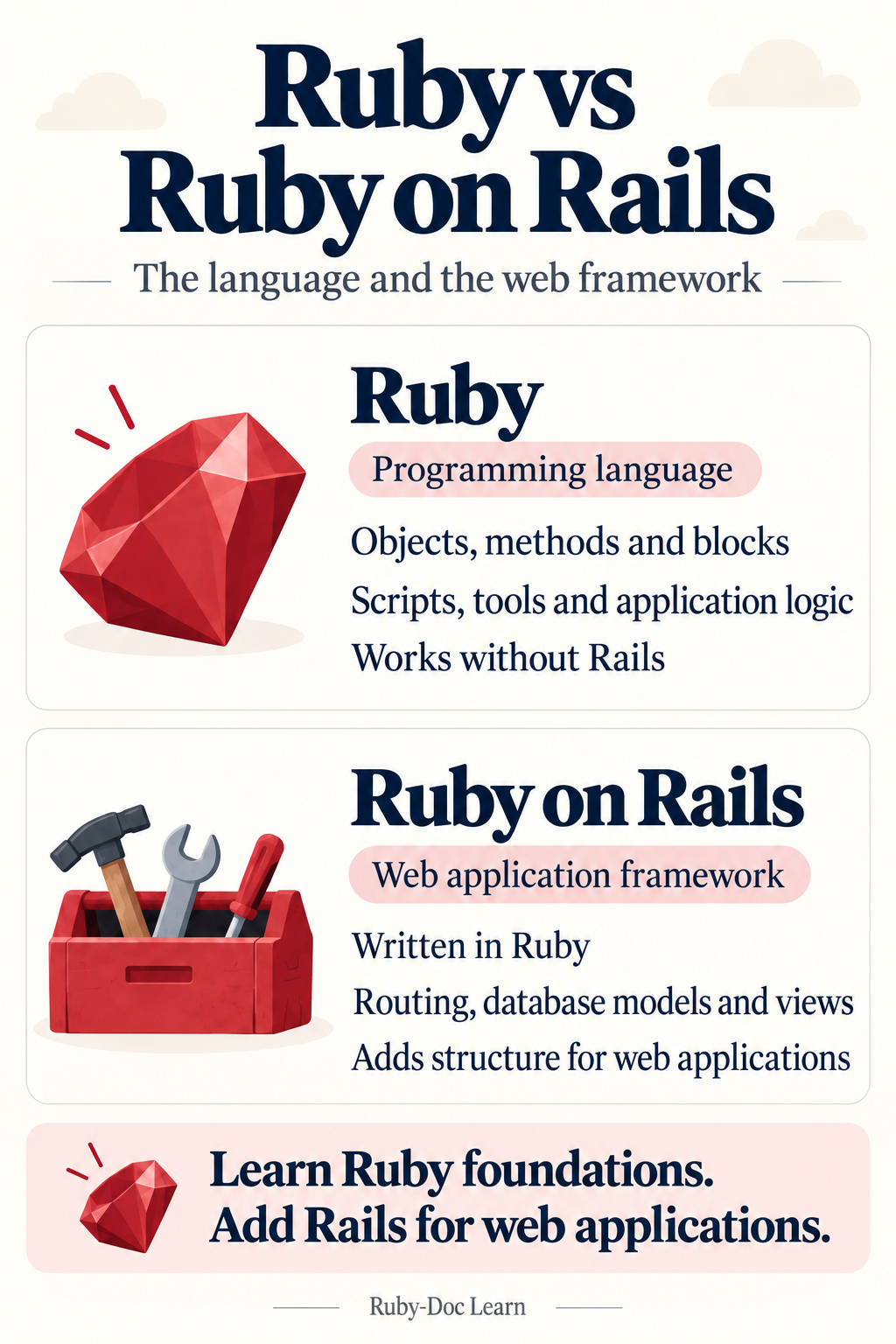
Understanding this distinction helps when choosing a course, starting a project or investigating an error. A Ruby tutorial can explain how a block works. A Rails tutorial may expect you to know about blocks before explaining routes and database records. Both provide valuable information, although they start at different levels.
Ruby vs Ruby on Rails at a glance
| Question | Ruby | Ruby on Rails |
|---|---|---|
| What is it? | A general-purpose programming language | A web application framework written in Ruby |
| What does it provide? | Syntax, objects, methods and core classes | Routing, controllers, database tools and views |
| Where might you use it? | Scripts, libraries, tools and application logic | Web products, internal applications and APIs |
| Does it need the other? | Ruby works without Rails | Rails depends on Ruby |
| What do you learn? | How to express and test program behaviour | How to organise and operate a web application |
For example, a script that cleans up a text file may need only Ruby and a small library. A catalogue with browser forms and persistent records needs more support. Rails can provide many of those structural elements. Choose according to what the application needs, rather than which name sounds more advanced.
What Ruby gives you
Ruby is a dynamic, object-oriented language. You work with values like strings and arrays, and call methods on objects. In addition, you can combine behaviour in classes or modules. Blocks allow you to pass a piece of behaviour to another method. These concepts remain useful beyond web development.
To learn about Ruby’s design and object model, look at the official Ruby overview. Try small versions of whichever example you are studying. Then change an input value and see what happens. Doing this makes a complex framework easier to investigate later.
A gem is a packaged Ruby library or application. Installing one gives your project additional functionality without requiring a complete web framework. Therefore, a Ruby project could use multiple gems and never reference Rails. Check why a dependency appears in the project before assuming it belongs to the language itself.
What Rails adds to Ruby
Rails puts together tools commonly used in web applications. Routes map incoming requests to application code, while controllers coordinate responses. Views can generate HTML for browsers. Active Record connects Ruby objects with database records. Rails also includes components for jobs, email and file attachments.
Rails conventions remove some routine development decisions. For instance, Active Record normally relates a singular model name to a plural table name. You may sometimes need to override these conventions. However, knowing the defaults makes existing applications easier to read and avoids extra configuration.
The official Rails getting-started guide walks through creating a complete application. Follow the guide for your installed Rails version. Ruby and Rails release independently, so a tutorial may describe framework features that your project does not have. Check versions before copying an unfamiliar example.
Ruby vs Ruby on Rails: a practical example
Suppose you want to process visitor-entered tags for a reading list. Before saving them, strip surrounding whitespace, convert letters to lowercase and remove duplicates. The following Ruby method handles those string operations. It requires no Rails application, database or web server.
def clean_tags(tags)
  tags.map { |tag| tag.strip.downcase }
      .reject { |tag| tag.empty? }
      .uniq
end

tags = [" Ruby ", "rails", "RUBY", " "]
puts clean_tags(tags).join(", ")
Predict the output, then reveal the explanation
The output is “ruby, rails”. First, the method strips surrounding whitespace from each tag and converts letters to lowercase. Next, it removes empty tags and duplicates. The remaining tags keep their original order. Try an empty array: the final print statement produces an empty line.
Inside a Rails application, you could use this same method in a suitable Ruby object. Rails would handle receiving the request and returning a response. Keep the boundary clear: cleaning user-supplied strings and determining who gets to edit a record are separate responsibilities.
This example takes an array of strings. An actual endpoint also needs input type checks, appropriate permissions and reasonable size limits. For additional practice, examine our Ruby code examples for beginners. Anticipate each outcome before executing the code, then change the input to test your understanding.
How a request moves through Rails
Consider someone opening a reading list in a browser. The request reaches the application, and a matching route identifies a controller action. That action can ask other objects for information and prepare a response. Finally, a template may generate HTML for the browser to display.
Models connected to databases usually use Active Record to fetch or save records. However, a model does not necessarily require a database table. Rails also contains Active Model facilities for Ruby objects that need features such as validation. The framework has room for several kinds of application object.
Use this division to get started with debugging. If the wrong page opens, review your routing and controller. For an incorrect calculation, find the Ruby method and test its inputs. On the other hand, a missing record may involve your query or the data stored in the database.
Ruby vs Ruby on Rails: what to learn first
You do not need to learn every detail of Ruby before building a Rails application. Learn enough to read a short method and explain its result. Focus on strings, arrays, hashes, methods, blocks and basic classes. Also practise reading exceptions, so an error message gives you somewhere to start.
Once you have a foundation in Ruby, create one simple Rails feature from start to finish. For example, build a reading list with titles and a form. Follow an input into the application and inspect its response. Then write a test that fails when the feature breaks.
Ruby syntax may seem familiar if you know another language. Even so, Rails conventions deserve time of their own. Copying generated files without understanding how they interact can cause problems when something breaks. Instead, make changes one piece at a time and explain what each change does.
Installation, maintenance and performance
Every Ruby program needs a compatible runtime and the libraries it uses. A Rails application adds framework dependencies and configuration. Depending on its features, it may also require a database, background workers or external services. When planning deployment, keep track of what the application needs to operate.
Ruby vs Ruby on Rails does not compare two independent languages for speed. Rails uses Ruby while performing additional application work. When investigating a slow page, measure the actual request. Rendering, database queries and external calls can all affect how long the page takes to load.
Similarly, using a framework does not automatically settle every security issue. Keep dependencies current and verify permissions wherever users access records. A working sign-in screen does not establish which documents someone may read. Write explicit tests for those permissions, alongside malformed inputs and failed requests.
Ruby vs Ruby on Rails project chooser
Open the situation closest to your own. Each answer offers a starting point, rather than a universal solution. Team experience and application requirements can alter the decision.
I need to process files or automate a small task
Begin with a Ruby script and the libraries needed for the task. Include input checks, informative error messages and tests. If the task later needs shared accounts or a browser interface, evaluate whether a web framework would help.
I need a shared web application with forms and stored records
Compare Rails with your team’s current tools. Its integrated conventions may help connect forms, records and other features. First, create one representative workflow. Then evaluate whether Rails makes the application easier to maintain, including permission checks and failure recovery.
I have inherited a Rails application and feel lost
Learn the Ruby constructs in the files you are reviewing, then follow one request through the application. Use existing tests as examples. You can improve your Ruby skills while becoming familiar with Rails, without studying every directory at once.
Common Ruby vs Ruby on Rails questions
Can I use Ruby without Rails?
Yes. Ruby can run scripts, command-line utilities and libraries independently. You can also create web applications using other Ruby frameworks. Rails is one framework within the Ruby ecosystem. Consequently, you do not need it installed for every Ruby project.
Is Rails a separate programming language?
No. Much of a Rails application’s server-side code is Ruby. Rails provides methods and conventions that may appear unfamiliar at first. However, encountering an unknown method does not necessarily mean you have encountered new Ruby syntax. Check which library defines it.
Does every Rails model need a database?
No. Active Record typically represents database-backed records, but application models can also be ordinary Ruby objects. Active Model provides reusable features for objects that need them. Determine an object’s responsibilities first. Then decide how it should store or validate information.
Choose your next small project
Understanding how the two fit together is the useful lesson from Ruby vs Ruby on Rails. Practise a small Ruby transformation you can test. Then, if your goal is a web application, connect that behaviour to a Rails feature. Keep the language, framework and business rules understandable as your project grows.