

Written by James Britt
The Ruby no implicit conversion of nil into string error occurs when a string-taking operation receives nil instead of text. It is a TypeError. First, identify which argument is nil and determine how it was produced. Next, reject missing required text or provide an acceptable fallback for optional text. A default applied without understanding the field can mask the cause.
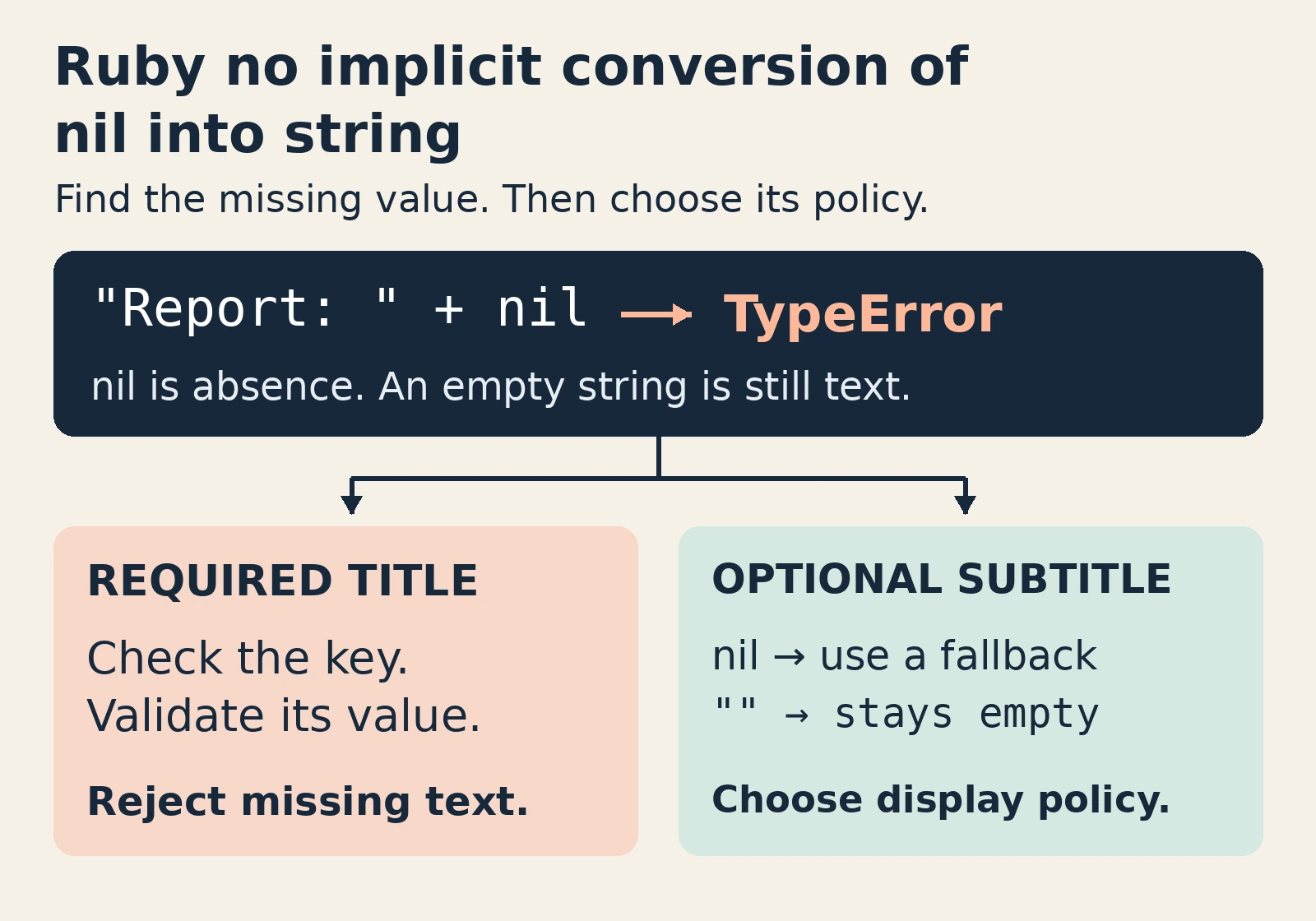
Start with the operation where conversion failed, rather than the last visible line of output. String concatenation, a path-building call or another string-taking API may expose a missing value created further upstream. Repair the boundary where your application determines what that value represents and whether it is required.
Reading the Ruby no implicit conversion of nil into string error
The message identifies a failed conversion at a specific operation. It does not imply Ruby can never turn nil into text. Explicit string conversion of nil produces an empty string, whereas ordinary string concatenation rejects nil. These behaviours serve different purposes; they are not interchangeable ways to fix invalid data.
suffix = nil
begin
  "Report: " + suffix
rescue TypeError => error
  puts error.message
end
p suffix.to_s
p "Report: #{suffix}"
# no implicit conversion of nil into String
# ""
# "Report: "
In this example, the prefix is a legitimate string. The unsuitable value is the suffix argument. Inspection represents the empty string with quotation marks. Without those marks, an empty line can be hard to distinguish from missing output. Create small, labelled observations when reproducing an error.
Read the first relevant application line in the backtrace. Then break large expressions into intermediate variables and check each candidate argument’s class and nil status. Avoid printing full requests, access tokens or customer records. Field names and their actual types usually provide enough evidence to identify the incorrect assumption.
Track down missing values before converting them
Missing hash keys are common sources of nil, but they are not the only ones. A search may yield no match. A conditional method may have no useful result for one branch. A configuration lookup may lack an expected setting. Follow the value backwards to its first unexpected absence.
For an ordinary Ruby hash with default behaviour, bracket access yields nil for both missing keys and keys containing nil. These are distinct states. Fetch without a fallback raises KeyError for a missing key, yet returns a stored nil. Therefore, establishing that a key exists does not establish that its value is a string.
missing = {}
stored_nil = {title: nil}
p missing[:title]
p stored_nil.fetch(:title)
begin
  missing.fetch(:title)
rescue KeyError => error
  p error.class
end
# nil
# nil
# KeyError
Also verify whether the payload uses string keys or symbol keys. Ordinary Ruby hashes do not treat them as equivalent. A hand-built fixture can hide a difference from a parsed response. Inspect the actual structure before adding defaults or modifying the receiving method.
Our guide to tracing undefined methods on nil addresses related lookup and return-path mistakes. The same missing value can cause different exceptions depending on subsequent operations. Consequently, repairing the source of the value often helps more than patching each later exception independently.
Fix Ruby no implicit conversion of nil into string at the boundary
Reject missing or unacceptable required input before constructing the final string. Give the caller a specific failure to handle. Do not replace a required filename, account identifier or destination with empty text simply because doing so prevents this exception.
This method deliberately accepts only String objects for its title. Fetch catches an absent key, while a separate type check rejects a present nil. This is a basic educational contract, not a complete title-validation policy. It permits empty text; add another content rule if your application prohibits that.
def report_label(data)
  title = data.fetch(:title)
  raise ArgumentError, "title must be a String" unless title.is_a?(String)
  "Report: " + title
end
p report_label(title: "Weekly")
begin
  report_label(title: nil)
rescue ArgumentError => error
  puts error.message
end
# "Report: Weekly"
# title must be a String
Choose an exception that fits your application’s validation policy. Here, the explicit check raises ArgumentError; a library may define its own validation exception. The boundary now explains why the input is unacceptable, instead of leaving a distant concatenation to discover the problem accidentally.
Apply the same distinction to configuration. A required setting should fail clearly when absent; an optional display label can have a documented default. Keep this policy near the configuration-loading boundary so later helpers receive predictable values. Investigating one missing entry does not require logging the entire configuration.
Use fallbacks only when absence is allowed
An optional subtitle can legitimately be omitted. Decide how that omission should affect the display: omit the subtitle, show a neutral label or render empty text. Keep this presentation decision separate from the underlying data. Showing a fallback does not mean the user supplied that value.
| What the input means | Response to choose | Information to preserve |
|---|---|---|
| Required title omitted | Reject the input | A clear validation failure |
| Optional subtitle omitted | Choose an intentional display fallback | Whether a subtitle was supplied |
| Empty string supplied | Apply a separate content rule | The distinction between empty and absent |
| Wrong type supplied | Check the input contract | Evidence of the wrong type |
Ruby’s logical-or operator selects its alternative for nil and false. It does not do so for an empty string. Therefore, a fallback expression suitable for optional text can also conceal an unacceptable boolean. Validate allowed types at the boundary when those cases need different treatment.
subtitle = nil
p "Report: " + (subtitle || "Untitled")
subtitle = ""
p "Report: " + (subtitle || "Untitled")
p nil.to_s
# "Report: Untitled"
# "Report: "
# ""
The Rails documentation on presence describes another policy: return the receiver when present, otherwise nil. Active Support treats more values as blank than Ruby treats as falsy, including empty and whitespace-only strings. This helper belongs to Rails or explicitly loaded Active Support; it is not part of core Ruby.
Choose that behaviour deliberately. If whitespace-only text is unacceptable, document the rule at the input boundary. If empty text is meaningful, a broad blank-value fallback could erase information. These Rails behaviours provide documented context; the executable examples here use core Ruby only.
How safe navigation can leave the same error
Safe navigation skips a method call when its receiver is nil and returns nil. However, it does not convert that result into a string. A later concatenation can still receive the missing value. Decide what the optional operation’s result means before passing it to an operation that requires text.
name = nil
cleaned = name&.strip
p cleaned
begin
  "Hello " + cleaned
rescue TypeError => error
  p error.class
end
# nil
# TypeError
Similarly, a normal method call after a safely navigated call can fail on a nil result. RuboCop’s safe-navigation-chain guidance warns about this pattern and explains that automatic correction can change behaviour. Returning nil instead of raising is appropriate only when your application permits that absence.
Do not confuse this with NoMethodError. Calling an unsupported method on nil is a missing-method problem. Passing nil as an argument to a string-taking operation can instead cause a conversion error. Inspect both the receiver and the arguments; a guard on one does not validate the other.
Try the required-title exercise
Reports require titles. One payload omits the title key; another includes it with nil. Will replacing bracket access with fetch resolve both failures? Decide what each input should do, then reveal the explanation. The objective is to preserve the required-data rule, not simply produce a printable label.
Reveal the difference between a missing key and stored nil
Fetch without a fallback raises KeyError for the absent key. However, it returns stored nil for the existing key. The second payload still needs title validation. Under this required-title contract, both inputs should fail clearly before concatenation. An empty display fallback would change the requirement instead of enforcing it.
Now change the field to an optional subtitle. A fallback may make sense, but test an empty string and an unexpected false value too. Give missing, empty and wrong-type inputs separate cases whenever your application treats them differently.
Prevent the Ruby no implicit conversion of nil into string error
Keep a regression test for the original missing input and a successful string input. Add cases for absent keys, stored nil, empty text and improper types where relevant. Assert the intended result or exception. Merely testing that the code stopped crashing can reward a workaround that skips useful work.
The displayed examples were tested on Ruby 4.0.0 using its official WASI runtime. Their outputs demonstrate core string, hash and safe-navigation behaviour. They do not establish correct behaviour for Rails applications, native dependencies or operating-system path calls. Reproduce those failures in their real environments before claiming an application fix.
Takeaway
To fix the Ruby no implicit conversion of nil into string error, trace the nil argument back to its origin. Reject missing required text and assign optional text an intentional display policy. Conversions, interpolation and safe navigation change behaviour, so choose them after defining the contract and testing inputs that must remain invalid.