

Written by James BrittTechnically reviewed by Jim Freeze · Reviewed
Is a Ruby empty string truthy? Yes: an empty string satisfies an ordinary Ruby condition. Only nil and false are falsy in Ruby. To find out whether a string contains characters, check emptiness explicitly. For whitespace-only input, choose a text-validation rule. A condition alone cannot answer either question.
This difference occurs very often when a form accepts an empty name or when a default value will never take effect. The variable holds a string object, therefore regardless of how many (or few) characters that string may contain, the branch will run. Nothing was wrong with the condition; it simply answered the questions you did not intend to ask.
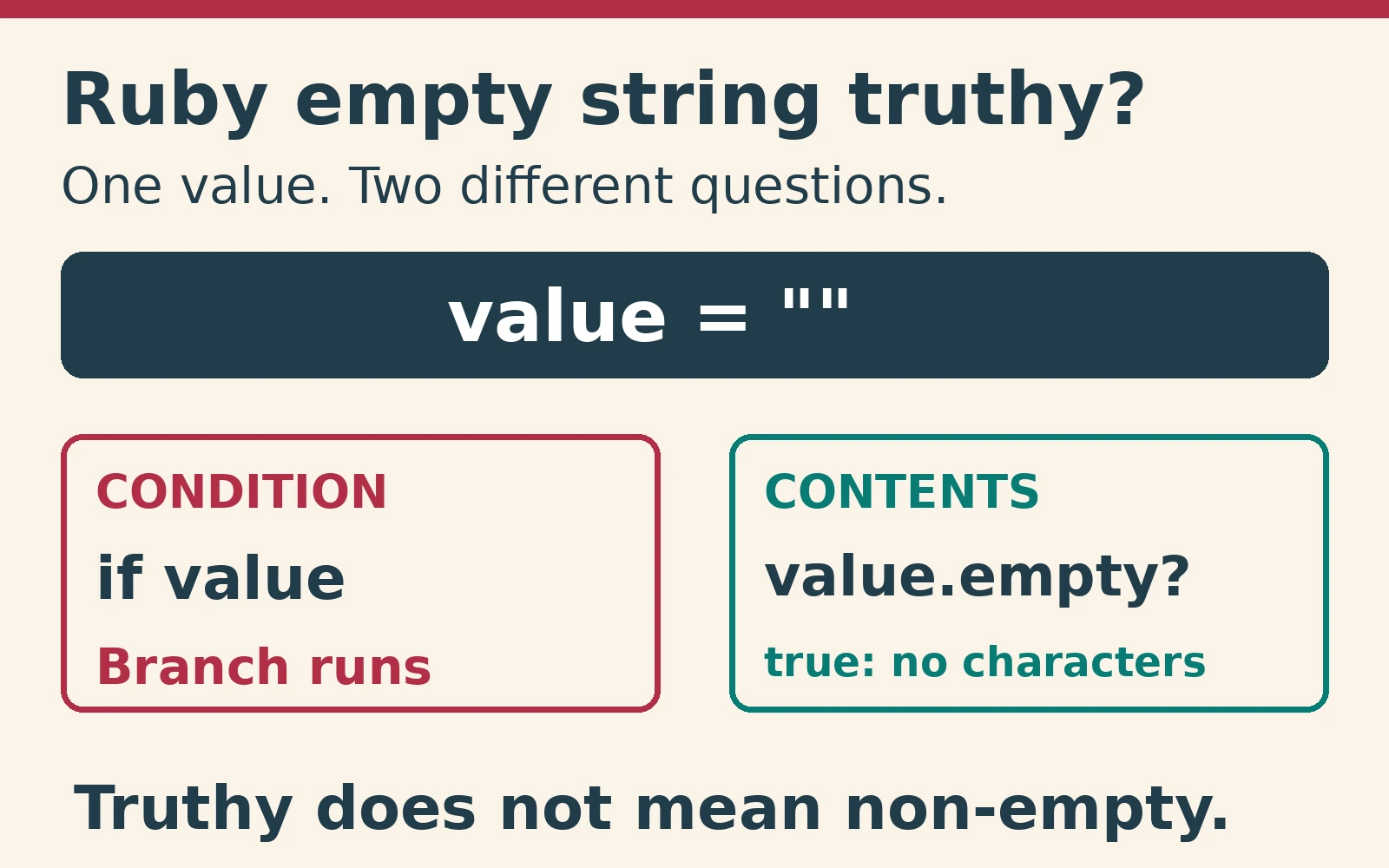
Why is a Ruby empty string truthy?
An empty string is “truthy” just because every string is truthy, no matter what is inside the string. The string “false” is truthy too. A condition does not parse that text as the boolean false.
Ruby’s truthiness rule includes all types of empty containers (i.e., empty arrays, empty hashes) and zero. This rule is useful once you separate truthiness from the question of whether a value holds meaningful data. An empty container could be a legitimate return value. Likewise, there may be many reasons to treat zero as a legitimate count instead of a placeholder for a missing value.
This example demonstrates how to check the truthiness of an empty string, a single space character, nil, false and zero. Read each result as a branching decision. This code does not ask whether the string contains useful data, displays visible text or meets a field’s requirements. These are all application-based decisions you will have to make with additional predicates.
These examples ran in native Ruby 4.0.0 on Linux, without Rails or gems. This identifies the checked runtime, not the latest patch. The Rails discussion uses official documentation; it does not claim execution of a Rails application.
["", " ", nil, false, 0].each do |value|
  p [value, value ? "truthy" : "falsy"]
end
# ["", "truthy"]
# [" ", "truthy"]
# [nil, "falsy"]
# [false, "falsy"]
# [0, "truthy"]
Ruby empty string truthy: check contents explicitly
When checking for emptiness on a value that you know is going to be a string, Ruby’s emptiness check asks whether its length is zero. You can find this behavior in Ruby-Doc’s String reference. A space and a newline each contain a character. They are not empty strings, even when they look blank on a page.
When debugging, examine the actual value. If you simply print out a string, it is possible to miss the fact that an empty string prints nothing (it doesn’t display) and you also won’t be able to tell the difference between a space and a newline. Use inspect to see the value with quoted/escaped characters to see exactly what your code received.
Do not replace a string-content check with a comparison to true. This asks the completely unrelated question if the object equals a boolean. It also does not check how many characters are in the string when you convert one value into a boolean. The Ruby Style Guide advises against using unnecessary double negation in conditions. Additionally, Ruby has its own rules regarding “truthiness” that apply to conditions like this anyway.
So what do you actually want to be asking? Are you trying to find out if a value exists or is present? Does the string have any characters? Is there any content in the string other than blank space? When you separate these types of questions, they will help someone reading your code understand why you wrote the code in the way that you did.
p "".empty?   # true
p " ".empty?  # false
p "\n".empty? # false
p("" == true) # false
p !!""        # true
Ruby empty string truthy fallback mistakes
Logical OR selects the right operand only if the left one is nil or false. Therefore, in this case, an empty string would stop selecting a fallback. So, this operator does not always return a Boolean. At a glance, this could appear to be a good way to determine if there are any missing values. However, it will leave the default greeting blank.
Conditional OR assignments have similar issues. If you’ve already assigned an empty string to a variable, then it’s truthy. Therefore, a conditional assignment won’t change it. Obviously, this makes sense when you intentionally store an empty string. It doesn’t make sense when your program has a rule that requires defaults for empty fields.
Write your policy directly into the code instead of relying on fallbacks. Since the input may either be nil or a string, first check for nil. Then check whether the string is empty. Because of short-circuit evaluation, Ruby skips the second check if the value is nil. Thus, this covers those two valid types without quietly treating all objects as valid input.
False may represent that a user opted-out of something, whereas an absent setting merely represents absence. Therefore, if you blindly replace every falsy value with a default, you risk overwriting that opt-out choice. Instead, create a nil-specific fallback when false is permissible in the data contract.
label = ""
p(label || "Guest") # ""
label ||= "Guest"
p label # ""
label = nil
p(label.nil? || label.empty? ? "Guest" : label) # "Guest"
setting = false
p(setting.nil? ? true : setting) # false
Whitespace is another decision
In an empty string there are no characters. Strings containing only white space do contain characters; however, they may or may not be visible. A frequent convention when working with pure Ruby is to remove any leading or trailing white spaces before checking if a string is empty. This makes your intention clear: ignore surrounding whitespace for this field.
Don’t assume that removing white space will eliminate all “blank” characters. The behavior of Ruby’s white space removal and that of the framework you are using for Unicode white space removal are different. Define the allowed characters for international input, then test that requirement. Visual blankness of a browser field does not represent adequate specifications.
Ultimately, you need to determine whether to use the original input (and potentially allow whitespace) versus normalizing it. A predicate can check a trimmed copy while leaving the original string intact. Normalization changes bytes, so it may change the meaning of passwords or signatures.
Handle nil without hiding bad types
Create a utility function that accepts either nil or a string. If either input is missing or contains only whitespace, return a default. Reject any other type. The helper shown below follows this rule. It makes a copy of the input and removes the recognized surrounding whitespace from the copy before returning the clean text. Thus, callers receive normalized text rather than the original spacing.
The type check is deliberate. Converting arbitrary input to text could turn an array, number or boolean into a string and hide a caller’s mistake. Validation should expose that mistake, not silently repair it.
Safe navigation skips method calls when the receiver is nil. An empty string is not nil, so the method call still happens. Safe navigation does not guarantee that another receiver supports a string method. Therefore, validate the allowable types when a source can produce arbitrary JSON values.
def display_name(value, fallback: "Guest")
  return fallback if value.nil?
  raise TypeError, "expected String or nil" unless value.is_a?(String)
  cleaned = value.strip
  cleaned.empty? ? fallback : cleaned
end
p display_name(nil)      # "Guest"
p display_name("  ")    # "Guest"
p display_name(" Ada ") # "Ada"
Predict the fallback result
Before opening the explanation, predict the result of using logical OR to select a display label. The label starts as an empty string. Will the result be the fallback or the original value? Compare the two expressions below: one uses truthiness, while the other checks the string’s contents.
label = ""
p(label || "Guest")
p(label.empty? ? "Guest" : label)
# ""
# "Guest"
Reveal the answer and explanation
This first example produced the original empty string. The second (which evaluated the content of the empty string) chose the fallback. Both results followed the exact same rules in Ruby; however, the expressions ask different questions. If the label could be nil, check for nil before calling the string predicate.
Rails blankness does not change Ruby truthiness
Active Support contains several “blankness” helpers and “presence” helpers. In the Rails guide, blank values include nil, false, empty collections and whitespace-only strings. Presence will return the receiver when it is present; otherwise it returns nil. While these are very helpful as application helpers they have no bearing on how Ruby will evaluate a string inside of any conditional.
When you write stand-alone Ruby scripts, you can’t depend upon those helpers being there. Helpers are part of Active Support, and not part of Ruby’s built-in String interface. Lastly, because these helpers treat false as blank, this is not suitable for checking whether your users opted out of something versus did not provide anything at all for a certain boolean setting.
The Rails discussion is documentation-based; the executed examples use core Ruby only. If your application relies on a particular whitespace interpretation, test against the Active Support version in its bundle. That distinction matters more than picking whichever helper gives the shortest expression.
A compact regression checklist
Test values that direct code down alternate paths: nil, an empty string, spaces, newlines and regular text. Include false and numbers in your tests where applicable for testing type boundaries. Your helper should deliberately reject unsupported types while routines handling boolean settings often need to preserve false and thus should have their tests separated accordingly.
Finally, examine both the returned value and the branch taken. Depending on the expression, the result may be a boolean, the original string, trimmed text or a default. A test that checks only truthiness will miss the empty-string problem. Assert the expected value as well, including whether surrounding spaces should remain.
Takeaway
A Ruby empty string is truthy, but truthiness does not check content. Use an emptiness predicate for zero-length strings, a documented whitespace rule for blank text and a nil-specific check for missing values. Keep the input contract visible, preserve meaningful false values and test the actual return value.