

Written by James BrittTechnically reviewed by Jim Freeze · Reviewed
The Ruby cannot load such file error typically occurs when a loading call cannot find the requested feature. Look at the name included in the message. Is it your own file, a gem entry point, or something requested inside another library? Identify the path or dependency that failed. The most recently installed gem may have nothing to do with it.
Begin with a full copy of the exception along with the backtrace. Also record the Ruby version and the command that ran the application (along with the current working directory). The above information is needed to understand why this same code will run fine from one terminal but crash in another.
Read the Ruby cannot load such file message
Separate the feature requested by an app from the source of the request (the file). A program may successfully load a library but then fail when the library attempts to load another feature. The backtrace will help identify which second feature is causing the failure. In addition, the LoadError class includes a path attribute that identifies the specific failing feature without requiring you to parse that information out of the error message.
begin
  require "ruby_doc_missing_feature_47"
rescue LoadError => error
  puts error.class
  puts error.path
end
# LoadError
# ruby_doc_missing_feature_47
The example deliberately makes a bad loading request and captures the failed feature name. It installs nothing and does not establish that a similarly named gem exists. For a real failure, keep the full native-loader output too. An unavailable shared library or binary incompatibility can provide the clue that a short filename alone would miss.
Before you decide how to fix it, determine the type of file that caused the problem. Gather evidence on which location the file should be in. Do you want your helper near the script? Are you trying to load from the directory where an end-user runs the app? Determine who called this method before deciding on a solution. This will help you determine if a package needs to be installed based on the error.
Compare the two directory bases
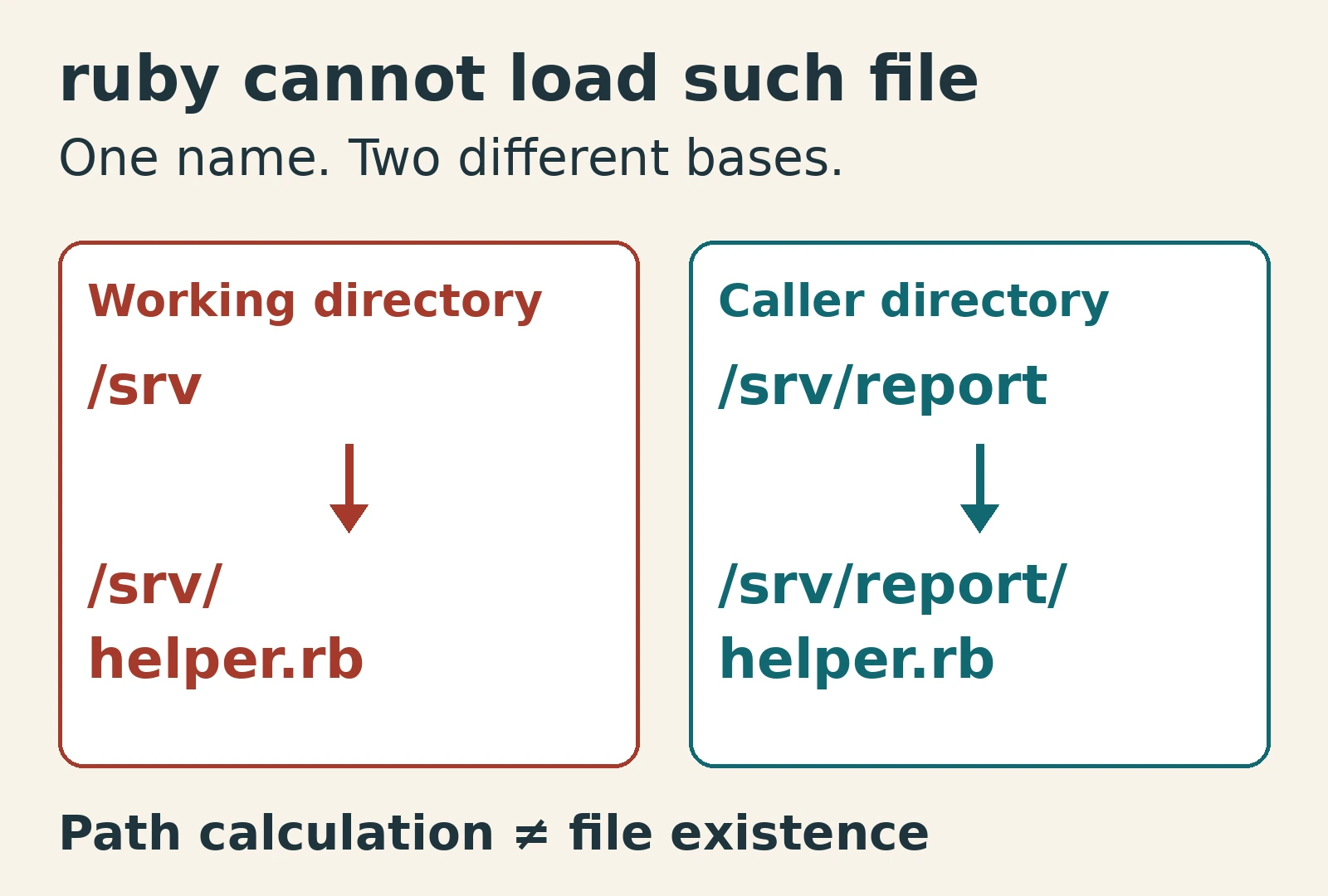
Be aware of where your process “working” directory is located versus the directory in which your calling code resides. When you run a script from within the directory containing that script, they will likely match; however, there are editors and services that may run it from other locations. Therefore, a path that assumes these two directories always have the same location is based on nothing more than chance.
A require call using an explicit dot-slash path is resolved from the current working directory. This is a relative path, not an absolute one. By contrast, require_relative uses the calling file’s directory as its base. A bare feature name uses the load path. Choose the loading form that expresses the intended relationship between caller and helper.
working_directory = "/srv"
caller_directory = "/srv/report"

puts File.expand_path("./helper.rb", working_directory)
puts File.expand_path("helper.rb", caller_directory)
# /srv/helper.rb
# /srv/report/helper.rb
The reason for this is illustrated by the calculations in the problem. The code does not verify if either of the files exist, nor will it make a load call when executed. Therefore, the helper file being located next to the reporting script would represent their relationship as shown in the second location. Alternatively, the first base could represent where your application programmatically loads a file based on the location from which the user has launched your application.
Before deploying your application ensure that you have identified all the necessary files. Be sure to double-check the exact name of every file. Although there may appear to be a valid file open within the editor window do not assume its presence based solely on appearance. Always verify that capitalization is identical when referenced both as part of the file system and as deployed. File systems will treat case sensitivity differently; therefore if a file has been excluded from deployment, it will never load regardless of whether or not the correct relative path has been used.
Check the load path without guessing
A bare feature name does not tell Ruby to search every folder in your project. Its configured search paths and loading mechanisms determine where it looks. Inspect the load path in the actual failing process when diagnosing a bare-name request. Compare the directory you expect to supply the library with the directories that process searches.
roots = ["/opt/report/lib", "/srv/shared"]
feature = "report/formatter.rb"
puts roots.map { |root| File.join(root, feature) }
# /opt/report/lib/report/formatter.rb
# /srv/shared/report/formatter.rb
These are candidate locations built from an illustrative list of roots. They are not a trace of Ruby’s full search algorithm, which also handles extensions and installed gems. The example teaches how a directory and feature name combine. Avoid adding unrelated directories globally: doing so can select an unintended file and turn a clear failure into an order-dependent bug. Keep any load-path experiment local to the reproduction, and record what changed before repeating the original launch.
| What the failed name represents | Evidence to inspect | Targeted repair |
|---|---|---|
| Local helper | Filename and intended base directory | Correct the path relationship |
| Gem entry point | Package documentation and selected environment | Use its documented loading name |
| Inner dependency | Full backtrace and failed path | Repair the dependency that failed |
| Native library | Complete loader message and platform | Resolve the binary or system dependency |
Check gems when Ruby cannot load such file
When checking gems, do not rely solely on an installation command to infer the loading name. Read the package’s usage documentation. The RubyGems guide to gem structure explains how a gem contains library code, executables and metadata. Finding an executable does not mean you have found the entry point your application should require.
Next, verify that installation used the correct environment. Installing into one Ruby version does not make your dependencies accessible to another. For Bundler projects, ensure that the dependency is declared in the Gemfile and is properly added to whatever group(s) are involved. When testing, run your application with the proper bundle environment (or at least run your tests with the proper environment). Also, ensure that your lockfile remains consistent with whatever dependency changes you plan to make.
Additionally, do not attempt to solve this by installing arbitrary gems with similar names. Determine the intended dependency from verified project documentation. If an upgrade changed how a library was packaged, look up documentation specific to your Ruby version. Old recommendations on what comes bundled with Ruby can go stale regardless of whether the original loading statement itself remained static.
Try the directory-choice exercise
Now try choosing a directory base. A report script and its helper live together in the report directory. The process starts from that directory’s parent. Which base should the sibling-helper path use? The worked calculation shows both possible locations. Pick the caller directory or working directory, then explain your choice before opening the answer. No actual files are needed for this reasoning exercise.
Reveal the correct base and why it matters
Choose the caller directory for a helper that belongs beside the script. In the worked calculation, this gives the path ending in report/helper.rb. The working-directory calculation points one directory higher. The result establishes the intended path relationship, not file existence, readability or successful loading. Those still need checks in the environment that runs the application.
Keep framework loading rules separate
Framework-specific loading rules matter too. Rails can autoload application models and controllers instead of requiring each file manually. Consult the Rails autoloading guide for the mapping between directories, filenames and constants. External libraries and application constants can have different loading responsibilities. Establish which kind of name failed before adding a require call to a model or controller.
A missing constant and a missing file can lead down different debugging paths. Preserve the original exception while isolating enough code to reproduce it. A workaround from a simple script may bypass Rails’ intended behavior and leave the naming or initialization problem unresolved. Conversely, a gem’s explicit loading instructions do not automatically apply to an autoloaded application constant.
Verify the Ruby cannot load such file repair
To verify the repair, create a fresh process using the application’s original entry point. Long-running consoles can retain already-loaded features and conceal startup dependency failures. After confirming that the intended library loads, exercise behavior that needs it. A lack of exceptions is insufficient if the application loaded the wrong file or simply skipped a required feature.
To simplify reproduction, use the Ruby code examples collection as a basis for a small script. Keep the failing loading call, its dependency context and any directory conditions that affect the problem. Remove unrelated work gradually. If a removed condition makes the failure disappear, identify why it matters before altering production code.
The executable examples here ran on official Ruby 4.0.0 WASI. They verify the missing-feature result and the displayed path calculations. They do not verify native gems, operating-system permissions, an installed bundle or a Rails deployment. A separate filesystem probe could not write a temporary file in this runtime, so no successful local-file loading experiment is claimed.
Takeaway
Fix a Ruby cannot load such file failure by matching the failed name to the right source of files. For local helpers, establish the correct base directory. For gems, verify the documented entry point and active dependency environment. Follow nested failures rather than reinstalling blindly, then confirm the repair in a fresh process with the original startup conditions.