

Written by James BrittTechnically reviewed by Jim Freeze · Reviewed
In Ruby 4.0, a Ruby Ractor port works like a mailbox. Any ractor you give the port to can send a message there. Reading and closing are the owner’s jobs, and the owner is the ractor that made the port. Need a result back from a calculation? Create the reply port where you want the answer. Give the worker that port along with the work.
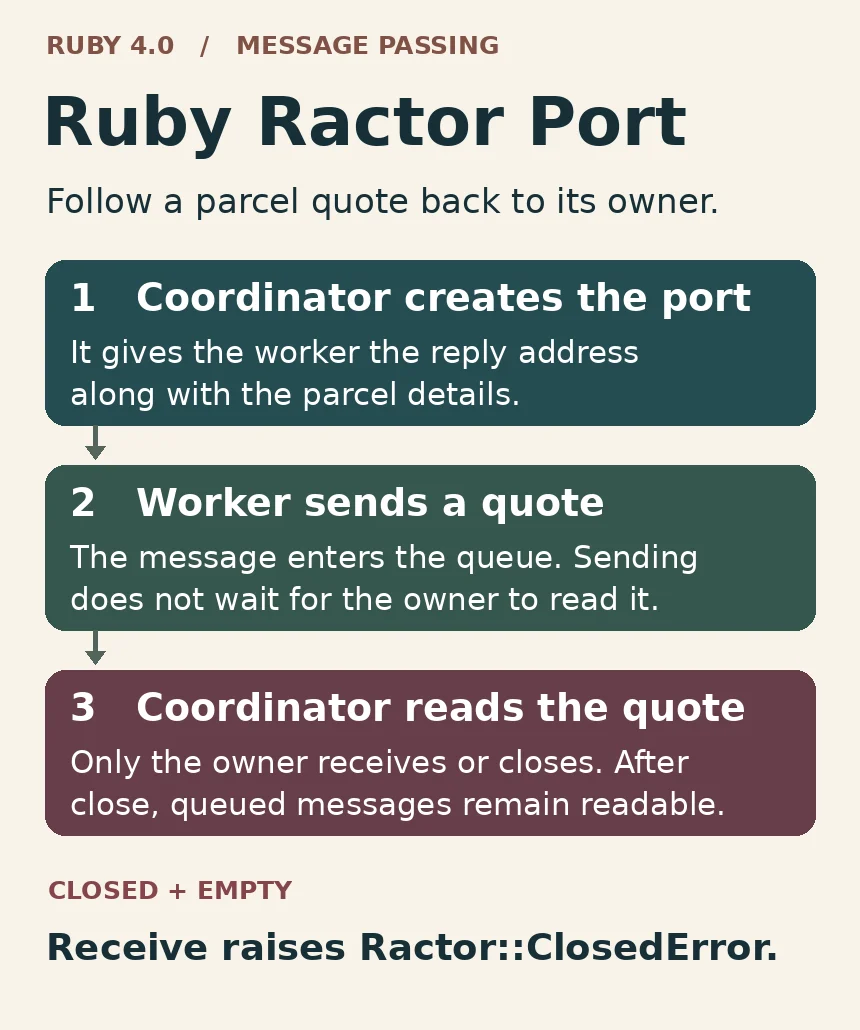
Who owns a Ruby Ractor port?
At a shipping desk there are two things a postage calculator needs to know. What parcel are we pricing? Where should the quote go? The first question takes measurements and a destination. For the second, hand the worker a port. It’s a local Ruby object within the running program. There’s no need to look up a host name or open a network socket.
For example, suppose the calculator creates a port and gives it to the desk. That gives the desk a route into the calculator. It does not give the desk permission to retrieve quotes from the calculator’s mailbox. Turn the drawing round. This time the desk makes a reply port and gives it to the calculator. The worker has somewhere to send a quote and the desk owns the place it will look for that quote.
Mark an X beside the line that creates the reply port. Write down the ractor responsible for running that line. Next underline the line that retrieves the quote. Same ractor? Good. Different ones? Fix the direction of the conversation before you start adding workers. Passing the address via an intermediary does not transfer ownership.
What sending tells you about delivery
Knowing a quote was sent is useful. Knowing a label was printed is useful too, but you can’t infer the second from the first. A sender can submit a message to an open port without waiting for a listener. The desk might read that quote straight away, or it might still be dealing with yesterday’s returns.
For proof of print, have the desk send a response after it prints. Include the order number so the worker can identify which request the acknowledgement belongs to. Think about the return address for that acknowledgement too: whoever is going to read it needs to own that port. Without this extra step, a perfectly truthful “quote sent” log can hide a printer jam.
Waiting for a reply is the other side of the bargain. If the port is open but there is nothing in it, the receiving thread blocks. An empty inbox at noon is hardly evidence that all today’s orders are finished. Give your receiving loop a separate way to decide when to stop. The Ruby 4.0 port reference distinguishes an empty open port, where you wait, from a drained closed port, where the read fails.
One inbox or a separate Ruby Ractor port?
Every ractor has a default port. If all your worker receives is parcel dimensions, its default inbox will do. The coordinator sends work to that inbox and supplies a reply port for the expected result. To investigate a missing quote, trace those two addresses separately. The dimensions went to the worker. The answer belongs at the coordinator.
Quotes and cancellations can use a single inbox if each message says which kind it is. Or give the calculator a separate reply port specifically for quotes. The coordinator can then close one conversation without closing the other. Here’s the catch: there’s one more place where the code can wait. If the desk is blocked waiting for a quote and a cancellation arrives elsewhere, the cancellation won’t satisfy that read.
In fact, sometimes no extra mailbox is needed. Suppose the worker calculates a final price and exits. You may just want its final value. On the other hand, if it computes prices throughout its lifetime, a reply port lets the desk act on the first without waiting for the rest. Use the Ruby Ractor reference for the worker lifecycle and the guide to Ruby 4.0 new features for the wider upgrade context.
A result needs an identity
Two orders arrive together. One parcel is going to Leeds, the other to Glasgow, and both quotes happen to be the same price. Which label should the desk buy? A price-based lookup cannot answer. Add the order ID to each response and use that ID in all updates. If several workers are doing the calculations, the first answer back could be for the last task assigned. Keeping a list in submission order doesn’t eliminate this uncertainty.
Keep the amount of data in a message small enough to review quickly. An order ID, status and price in a named currency say more about the agreement than an entire order object with changing fields. Passing an object through a Ruby port does not change the rules for sharing it. By default Ruby can copy an unshareable object across ractors when possible. For a shareable object, it can pass a reference. Don’t count on watching a mutable order change at the other end.
Give the failure response the same attention as a successful one. For an incorrect postcode, include the order ID and a description of why the quote failed. Now the desk can tell a rejected parcel from a job that hasn’t had an answer yet. It can reconcile the batch without assuming every calculation produced a price. That matters when the next step buys postage automatically.
What closing a Ruby Ractor port actually does
Close the gate to a queue and the people inside it stay put. Closing a Ruby Ractor port works much the same way. Any attempt to send another message now raises an exception, but the owner can continue reading the messages that were already waiting. What happens when the last one goes? Another read raises a closed-port exception. Waiting would serve no purpose because no new message can get in.
Here one ractor performs every step, so you know the order of operations. It submits two parcel IDs, closes the port and then reads both messages. The final expression returns an array; the script doesn’t print it. This small example lets you verify the queue’s behaviour without relying on the order in which two concurrent workers happen to finish.
replies = Ractor::Port.new
replies.send(:parcel_a)
replies.send(:parcel_b)
replies.close
[replies.receive, replies.receive]
Predict which parcel IDs appear in the returned array prior to answering the question. Does closing the port impact the first read or second read or some later read?
What comes back after close?
Both parcel IDs come back, in the same order the single sender supplied them. A third receive raises a closed-port exception. Now imagine moving the close above the second send. That second send would fail before the receiving code ran. If you are tracking down this exception, finding a close in the file is only half the job. Was the failing operation a send after closure or a read after the queue had been drained?
A shutdown rule for a real worker
For a fixed batch, maintain a list of the parcel IDs for which you expect responses. Record success or failure against each ID. Keep the results port open until you have accounted for all workers that may still respond. Submitting the final parcel is a milestone for the input side of the job. Receiving its price is a milestone for the output side. Closing on the former can prevent receipt of the latter.
Knowing the batch size helps, but it doesn’t solve all failures. A worker might terminate before submitting a reply. Wait for exactly one more price and you can get stuck. Decide how the application will notice that exit, record the missing order and stop waiting. Your retry policy needs to cover late replies as well as duplicates, especially if the next step bills a customer.
To troubleshoot, follow a particular order from start to finish. Which ractor created its reply port? Which worker received that address? Did the worker send a price, report an error or cease responding? Add the name of whoever closed the port and note which workers were still active. That gives you a way to separate an incorrect address from an incomplete job. Additional receives won’t resolve either one.
Takeaway
Design your Ruby Ractor port from the receiver’s perspective. Have the receiver establish the mailbox, provide senders with its address, and include enough information in each response to associate it with a job. The owner decides when to close. Together, the state of the port and the contents of its queue tell you whether the next receive can block, return a message or signal the end of the conversation.