

Written by James BrittTechnically reviewed by Jim Freeze · Reviewed
Ruby string strip characters: start with the boundaries
To make a Ruby string strip characters from its ends, use strip without arguments for Ruby-defined whitespace, or use character selectors on Ruby 4.0. At each boundary, trimming stops when it reaches an unselected character and leaves the interior alone. The version and arguments determine which form is available.
Use an exact-removal method when a whole prefix or suffix is what you want to remove. Use a whole-string operation when matching characters must disappear throughout the text. These requirements can look alike on a tidy input, yet produce very different results on other data.
The examples on this page were run through the official Ruby 4.0.0 WebAssembly build. They show the distinction between boundary trimming and other operations. Code that uses the newer selector arguments must also be checked against the oldest Ruby version your application supports.
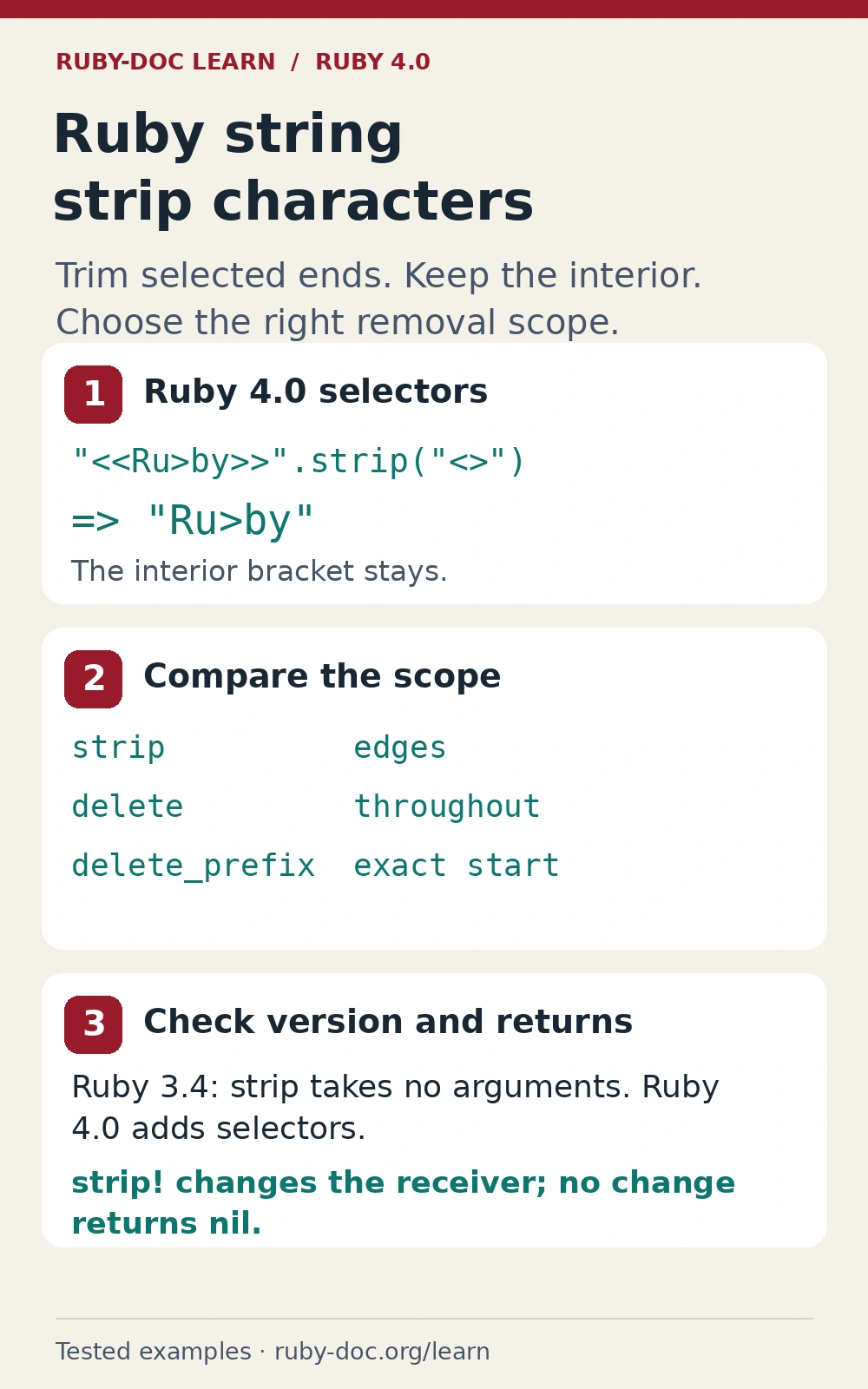
A selector names characters, rather than a whole word
Ruby 4.0 lets you select angle brackets for trimming around the content. The non-bang call creates a new string and leaves the original string unchanged.
label = "<<Ru>by>>"

label.strip("<>")
# => "Ru>by"

label
# => "<<Ru>by>>"
The bracket inside the name is retained. Trimming starts at both boundaries, removes selected characters and stops at the first character outside the selection. It does not make a second pass through the middle.
Even a word-shaped selector names individual characters. Selecting the letters b, a and n can remove all of banana; it does not ask Ruby to remove one occurrence of the token ban. Filenames, identifiers and prefixes can be affected when the remaining text shares those letters.
The official String strip reference describes the selector forms and return behaviour. Keep complex selection patterns close to their tests so their meaning remains visible.
Whitespace is a separate choice when selectors are supplied
Argument-free trimming handles Ruby’s defined whitespace, including ordinary spaces, tabs and line breaks. It does not cover every character that might look like a space on screen. Inspect unusual input instead of relying on how its bytes happen to render.
"  Ruby\n".strip
# => "Ruby"

"  <Ruby>  ".strip("<>")
# => "  <Ruby>  "

"  <Ruby>  ".strip("<> ")
# => "Ruby"
The second call meets an unselected space at each edge and therefore leaves the string unchanged. The third selector includes an ordinary space together with angle brackets. That selection does not automatically include tabs or every other whitespace character.
You can deliberately perform more than one transformation when the application’s rule calls for it. However, order matters: exposing a new boundary can change what the next call removes. Write down whether outer whitespace, wrapper characters or both belong to the cleanup rule before chaining methods.
A non-breaking space makes a useful test when text has been copied from a webpage. It may look like an ordinary space while remaining after argument-free trimming. If it belongs in the cleanup rule, select it explicitly and test that rule. Do not quietly broaden the selection to all similar-looking characters.
Use ranges and multiple selectors only when they express the rule
A selector can express a range of characters. For example, a digit range removes selected digits at the edges while keeping the letters between them. A digit surrounded by letters remains in the interior.
"123Ru4by456".strip("0-9")
# => "Ru4by"

"01234abc56789".strip("0-9", "^4-6")
# => "4abc56"
Multiple selectors narrow the matching selection instead of combining every listed character. Here the first selects digits and the second excludes four through six. The retained boundary digits stop further trimming.
A caret, hyphen or escape can therefore change the selection’s meaning. Do not treat an arbitrary user-supplied selector as a literal list without considering those rules. For a fixed data format, a small explicit selector with boundary tests is often easier to maintain.
If the rule is becoming difficult to explain in a sentence, reconsider the transformation. A named parsing step can be clearer than a compact selector that several maintainers interpret differently.
Be careful with a zero selector. It can remove significant trailing zeros as well as leading decoration: trimming zeros from 00120 leaves 12. That is character trimming, not a general rule for normalizing numeric input.
Compare exact-prefix removal and whole-string deletion
Choose a method for the desired scope. Exact-prefix removal asks whether a whole token begins the string. Character deletion looks throughout the string. Trimming asks what can be removed from its boundaries.
"banana".delete_prefix("ban")
# => "ana"

"banana".strip("ban")
# => ""

"a<b>c".delete("<>")
# => "abc"

"a<b>c".strip("<>")
# => "a<b>c"
The first pair shows why a word-shaped selector can surprise you. The second pair compares deleting brackets throughout the string with preserving brackets that occur only in its interior.
| Requirement | Starting point |
|---|---|
| Trim default whitespace at both ends | strip without arguments |
| Trim selected edge characters on Ruby 4.0 | strip with selectors |
| Remove one exact starting or ending token | delete_prefix or delete_suffix |
| Delete selected characters throughout | delete |
Before swapping one method for another, add an example containing the same characters in the middle. An input with only outside decoration cannot distinguish these behaviours.
Be careful when choosing strip! and its return value
The bang version changes the receiver. It returns that string when it makes a change, and nil when no change was needed. The nil result is useful as a change signal, but it can surprise code that expects a string from every call.
name = "<<Ruby>>"
first = name.strip!("<>")
second = name.strip!("<>")

name           # => "Ruby"
first.equal?(name) # => true
second         # => nil
Do not assign the bang result back to the only variable holding the value unless you deliberately want its change signal. A subsequent call that finds nothing to remove can replace that variable with nil, even though the receiver still holds useful text.
Use the non-bang form when keeping the original input makes the code easier to follow. It can also clarify ownership when different parts of a program share a value. Our Ruby programming language overview follows values and returned objects through a complete example.
The bang operation cannot alter a frozen string. Choose a non-mutating result when the caller needs to preserve or share the input. A bang suffix is not simply a faster spelling: ownership of the original value belongs in the decision.
Ruby string strip characters on older supported runtimes
The Ruby 3.4 String documentation describes argument-free strip, before the selector arguments shown here. An older runtime may reject a selector even though the same call succeeds on Ruby 4.0. Confirm the target runtime before treating that difference as a damaged string.
For a fixed set of brackets, an anchored regular expression is another way to express removal only at the two boundaries. The anchors keep the operation from deleting an interior bracket.
"<<Ru>by>>".gsub(/\A[<>]+|[<>]+\z/, "")
# => "Ru>by"
The displayed regex result was executed on Ruby 4.0.0, alongside the newer method. It is not evidence that an application’s whole test suite passed on Ruby 3.4. Run the compatibility path on the actual versions you claim to support.
Keep validation separate from cleanup. Removing decoration does not establish that the remaining text is a valid identifier, number or filename.
Decide how missing input should behave before trimming it. Turning nil into an empty string can be useful in one form and hide missing data in another. A required identifier may need explicit type and presence checks. Do not let a quiet conversion choose the application’s missing-value policy.
An empty string is still a string and is truthy in Ruby. If trimming leaves no content and the field is required, check for emptiness explicitly. Trimming and the application’s required-field rule should each have their own expected result.
Ruby string strip characters: predict what remains
Consider text with spaces outside angle brackets and another bracket in the middle. Which method removes default whitespace, which trims selected edge brackets, and which deletes brackets everywhere? Decide whether the middle should remain before choosing the operation.
Why can a trimming call leave a bracket in place?
A bracket can remain because it is in the interior, or because an unselected boundary character stops the trimming first. Argument-free strip handles default whitespace. A selector trims only its selected boundary characters, while delete can remove selected characters throughout. Exact-prefix and suffix methods apply a different, token-based rule.
The accompanying assertions check whitespace, selectors, ranges, preserved interiors and bang return values. Use Ruby string strip characters according to a clearly stated boundary rule, then test an empty input, an unchanged value and a less tidy input as well as the convenient example.