

Written by James Britt
Before you upgrade Ruby 3.4 to 4.0
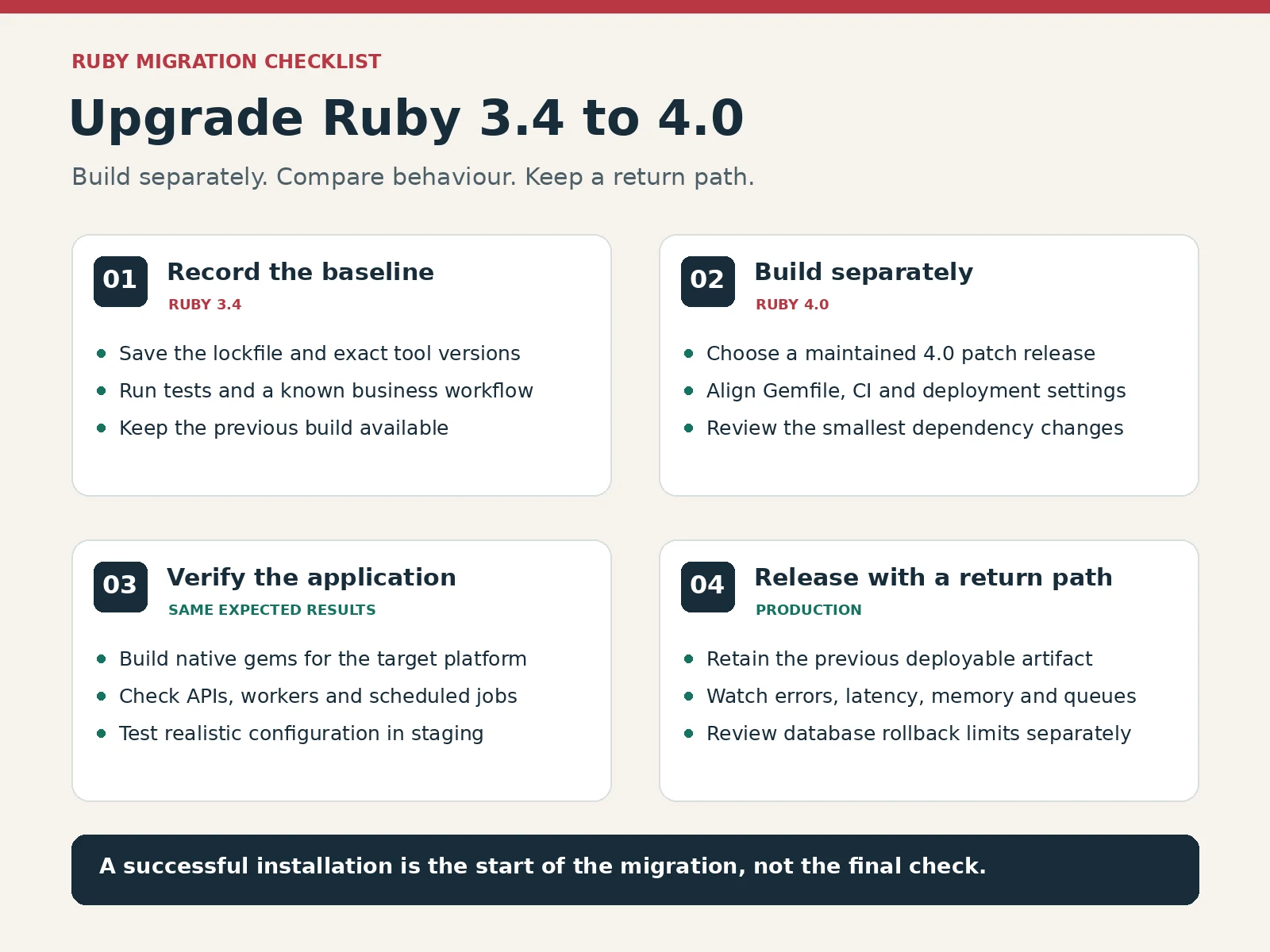
To upgrade Ruby 3.4 to 4.0, first install a maintained Ruby 4.0 patch release beside your original interpreter. Update the project’s Ruby requirement, install its locked dependencies and test the application. Try the updated build in staging before deploying it to production. Keep the last working release available until the new one has handled live traffic successfully.
Two environments may appear to be correct but fail to agree. You see Ruby 4.0 in your terminal, while a worker is running Ruby 3.4. Or the application runs correctly on your local machine but cannot load a native gem in its production image. A clean installation alone does not address these problems. The processes, gems and deployed image need checking as well.
This checklist applies to Rails and non-Rails applications, including command-line projects. Continue using your current version manager, container tools and release process. Changing the deployment method at the same time gives you another possible cause to investigate when something fails.
Record a working baseline first
Get a successful test run with Ruby 3.4 before making changes. Create a clean branch and make sure the current lockfile and deployment configuration are in version control. Note the Ruby, RubyGems and Bundler versions. When something goes wrong later, you can refer back to what was in place when the tests passed.
Find one small part of the application where you can compare results. For an invoicing app, create an invoice and generate its PDF. For an importer, load a short file containing records whose expected results you know. A test suite might pass without exercising an entry point that people still use.
There is no universal migration benchmark. If your project measures response times or memory usage, record a representative baseline. Compare the same workload in the same type of environment. Otherwise, a change in the amount of data or server size could appear to be a runtime improvement.
Choose a maintained Ruby 4.0 patch release
Choose an appropriate maintained patch from the 4.0 branch when you perform the upgrade. Check the current Ruby downloads and security notices. Do not assume that the initial 4.0.0 release is still the right production target. Note the exact version you choose in the migration notes.
Leave Ruby 3.4 available while testing. A version manager lets you select Ruby versions per project on a development machine. A separate container image gives you another way to try the new runtime. Replacing a shared system Ruby needs additional care when unrelated tools depend on it.
After selecting the new interpreter, run these checks from your application directory:
ruby --version
gem --version
bundle --version
bundle check
These commands show the active tools and check installed dependencies. They do not upgrade anything. Run the version checks again in CI and staging, and check how the actual service starts. A shell, service manager and scheduled task can each select a different executable.
Upgrade Ruby 3.4 to 4.0: dependency checks
Find the Ruby version in your Gemfile, version-manager file, container definition, CI configuration and hosting settings. Update the relevant entries together. An exact pin names a particular patch release. A version range should reflect the Ruby versions the project really supports.
This Gemfile entry permits Ruby 4.0 patch releases and excludes Ruby 4.1. It defines a requirement for the project; it does not install the interpreter.
ruby "~> 4.0.0"Keep the lockfile while you investigate
Begin with the existing lockfile and run your normal dependency installation under the new Ruby interpreter. If Bundler stops at a gem that does not support Ruby 4.0, review that gem’s maintained release notes. Determine the smallest set of gems that needs updating to solve the problem. Then inspect the lockfile diff.
Removing the lockfile at the first error removes a useful comparison too. Bundler may resolve many unrelated dependencies again, leaving you to inspect each update to find what caused the failure. Where practical, separate dependency upgrades and application changes into small commits.
Bundler needs its own check. Ruby 4.0 introduced RubyGems and Bundler 4, although an existing lockfile can select an older compatible Bundler version. The official RubyGems and Bundler 4 upgrade guide covers changed commands and configuration. Read it before reusing deployment flags from an old build script.
Inspect the changes your application actually uses
The official Ruby 4.0 NEWS lists compatibility changes alongside new features. Look at how your application and dependencies use the affected APIs. Some projects will need none of the changes below; for others, one entry may explain an immediate startup failure.
| Area | What to check | Practical response |
|---|---|---|
| CGI | The full CGI library is no longer a default gem. | Declare the cgi gem if you need the complete library; escape helpers remain available through cgi/escape. |
| Library packaging | Logger and some other libraries moved from default to bundled gems. | Declare dependencies that your application or gem directly needs. |
| Ractor | Older message-passing methods were removed with the introduction of Ractor::Port. | Review concurrency code against the new API. |
| Process execution | Pipe-prefixed process creation through Kernel#open and IO class methods was removed. | Review the operation and choose an appropriate explicit process API. |
| Native gems | A compiled extension may target an older Ruby or another platform. | Install or rebuild it for the intended runtime and deployment platform. |
Do not hide errors. A missing library, a version constraint and a compilation error need different solutions. A general exception handler that lets startup continue may conceal which problem exists without solving it.
New syntax can wait until the old program runs correctly. Otherwise, you are migrating the runtime and rewriting code together. Returning to Ruby 3.4 also becomes harder if the new code requires a 4.0-only feature.
Build and test on the deployment platform
Native gems sometimes depend on operating-system libraries, CPU architecture or compiler tooling. Install dependencies in a clean environment comparable to production. Building on a laptop does not establish whether the extension loads in a Linux deployment image.
If compilation fails, look for the first useful error message. Does it name a missing system library, an unsupported Ruby API or the wrong platform? Check the gem maintainer’s documentation before modifying compiler flags or reinstalling everything.
Run unit and integration tests, then exercise startup, database access, files and external requests. Include background workers, scheduled work and command-line entry points. Rails applications need their application tests as well. Upgrading Ruby does not automatically require a new Rails major version.
For smaller apps, create explicit assertions around the important transformations. Our Ruby programming language overview follows inputs, return values and exceptions through an example. During migration, the aim is to keep the expected results stable.
Try this migration check before revealing the answer
A service reads a count entered into a form. This method accepts a base-ten integer written as text, then rejects negative counts. Predict what happens with each input before opening the answer.
def non_negative_count(text)
  count = Integer(text, 10)
  raise ArgumentError, "negative count" if count.negative?
  count
end

non_negative_count("12")
non_negative_count("0")
What should happen with “12”, “0”, “-1” and “twelve”?
The first two calls return the integers 12 and 0. A negative input raises ArgumentError with the message negative count. The word twelve also raises ArgumentError because it cannot be converted to a base-ten integer. Make separate calls for the failing inputs, or catch the expected exception in your tests.
These checks passed under Ruby 4.0.0 using the official WebAssembly build. They verify this small language example. They do not test a native production build, your dependencies or your application’s behaviour on Ruby 3.4. Run the same assertions in your own CI environments.
Upgrade Ruby 3.4 to 4.0: staging and rollback
Test staging with realistic configuration and representative data. Check authentication, uploads, email delivery and the external integrations your software uses. Deliberately trigger jobs that normally run every hour or day. Waiting for their usual schedule can leave gaps in testing.
Identify the previous deployable package and the steps to restore it before releasing to production. Where possible, keep database changes compatible with both releases. Returning to an earlier Ruby cannot reverse an irreversible data change, so review database migrations separately.
Roll out through your usual process. Compare error rates, response times, memory use and queue behaviour with the baseline. If a serious regression appears, use the return path you prepared and investigate what happened on the migration branch.
Final migration checks
Approve the upgrade once the runtime is consistent across environments, dependency installation is repeatable and the important workflows pass. Keep the previous release available until the new one has handled real traffic successfully.
Finally, document the versions and test results so another developer can reproduce the build. Performance experiments, new syntax and optional runtime features can follow once the application still does the work its users depend on.